
Mouse pointer

Quote from jojoskavi on May 4, 2026, 7:15 amHello, I am new here. I have been wondering if it is possible to change the mouse cursor of the application to a bit more pointy than a hand, it really gets me off guard when selecting components. I am relatively also new in electronics and programming hoping to have more experience and growth in the fields.
Hello, I am new here. I have been wondering if it is possible to change the mouse cursor of the application to a bit more pointy than a hand, it really gets me off guard when selecting components. I am relatively also new in electronics and programming hoping to have more experience and growth in the fields.

Quote from arcachofo on May 6, 2026, 5:58 pmHi and welcome.
It is not possible to change mouse cursor of the application.
What kind of problem do you experience with the current pointer?
Hi and welcome.
It is not possible to change mouse cursor of the application.
What kind of problem do you experience with the current pointer?
Quote from jojoskavi on May 11, 2026, 6:57 pmThe selection of components and dropdown menu is always a hustle for me, yaani if the background colour could be showing clearly upon hovering it would be nice
The selection of components and dropdown menu is always a hustle for me, yaani if the background colour could be showing clearly upon hovering it would be nice
Quote from arcachofo on May 11, 2026, 7:27 pmDo you mean in the Component List?
In this case you can make elements bigger in Settings->Font Scale.
Anyway changing the color on hover seems a good idea.
Do you mean in the Component List?
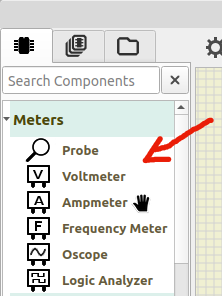
In this case you can make elements bigger in Settings->Font Scale.
Anyway changing the color on hover seems a good idea.
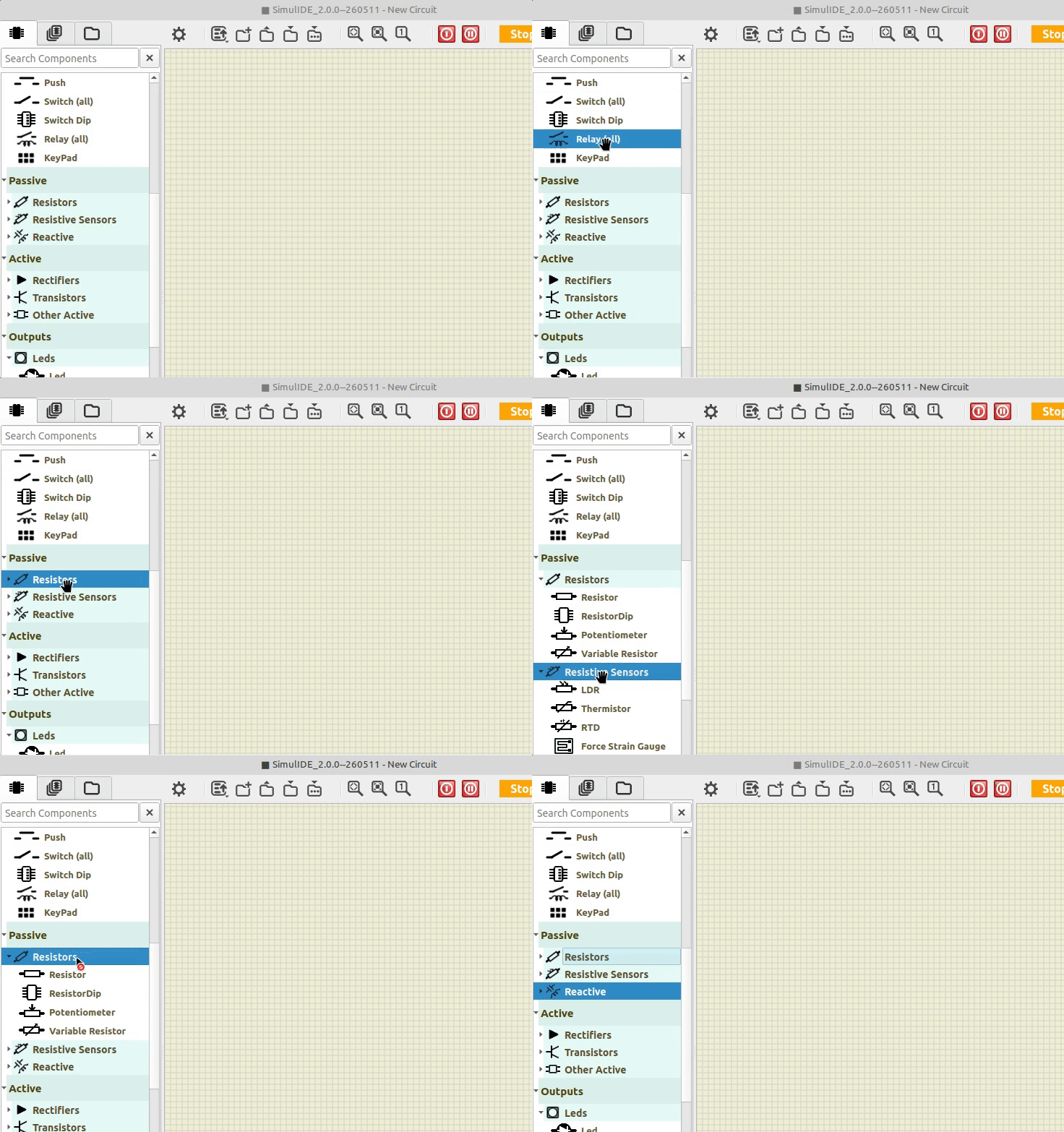
Quote from arcachofo on May 12, 2026, 11:10 amImplemented change color on hover.
Also expand/collapse categories by clicking in name (not only in arrow)
Implemented change color on hover.
Also expand/collapse categories by clicking in name (not only in arrow)
Quote from arcachofo on May 16, 2026, 9:56 amQuote from jojoskavi on May 15, 2026, 5:20 pmwooooow nice, how did you do this
My friend is a magician and I asked him for some magic words. That made it.
I also got a new computer, but please don't tell him.
Quote from jojoskavi on May 15, 2026, 5:20 pmwooooow nice, how did you do this
My friend is a magician and I asked him for some magic words. That made it.
I also got a new computer, but please don't tell him.
Quote from jojoskavi on May 17, 2026, 8:04 pmheheh, I'll request for the magic word as hash money, Simulide has been really cool, I was also plaininng on making write ups and having Simulide as the app reference how does that go or sound?
heheh, I'll request for the magic word as hash money, Simulide has been really cool, I was also plaininng on making write ups and having Simulide as the app reference how does that go or sound?