
Support This Project
This project is made possible by people like you. If you find it useful and would like to help keep it growing, consider making a donation. Every contribution, no matter the size, helps cover costs, fund new features, and keep this project available for everyone.
Thank you for your support — it truly makes a difference.
SimuChar
Bitmap Editor for Microcontroller Firmware.
SimuChar is an interactive tool for creating and editing black-and-white bitmaps, with direct export to code formats usable in microcontroller firmware.
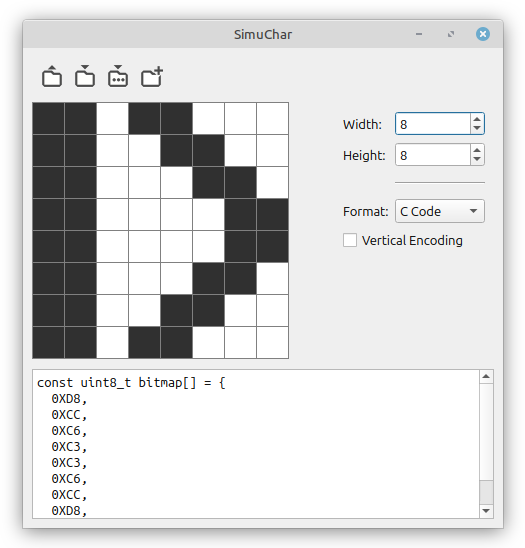
Click on any cell to toggle it between black and white. The grid auto-resizes to fill the window.
Control Panel
On the right side you can set:
- Width / Height: Grid dimensions from 1×1 up to 64×64 pixels.
- Format: Choose output format for the data panel below:
- C Code:
const uint8_t bitmap[] = { 0xFF, 0x00, ... }; - Asm:
.data/.byteassembly directives. - Hex: Space-separated hexadecimal bytes per row.
- Vertical Encoding: When checked, bytes are column-major (each byte groups 8 vertical pixels). Default is row-major (horizontal) encoding.
Toolbar
- Load: Import a PNG, BMP, or JPG image — grayscale is converted to black-and-white.
- Save / Save As: Export the bitmap to a PNG, BMP, or JPG image file.
- New: Clear the grid to all white pixels (current dimensions are kept).
Data Export Panel
The bottom panel shows the generated code or data in real time. Select a format in the control panel and the output updates automatically. Copy the text for use in your firmware projects.